



|
Name |
Pijar |
|---|---|
|
Google Play Link |
GET IT ON
Google Play
|
|
Category |
Education |
|
Developer |
PT. Telkom Indonesia, Tbk. |
| Last version | 2.0.0 |
|
Updated |
|
|
Compatible with |
Android 5.0 + |
Introduction to Pijar APK
Pijar is a mobile exam application built for students in elementary, middle, and high school. It runs on Android and works as a practical testing tool where students can take scheduled exams on their phones. The app focuses on giving schools a secure digital testing space without needing computer labs or piles of printed papers.
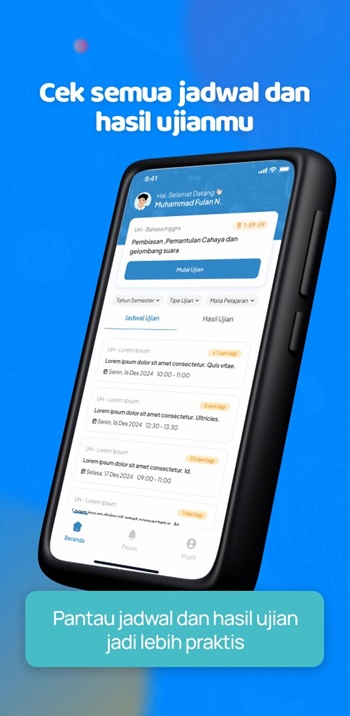
The app’s main purpose is to host school exams in a controlled environment. Students can open the exam schedule, start a test, navigate between questions, and keep track of time on the screen. It keeps everything simple so students don’t feel overwhelmed during the session.
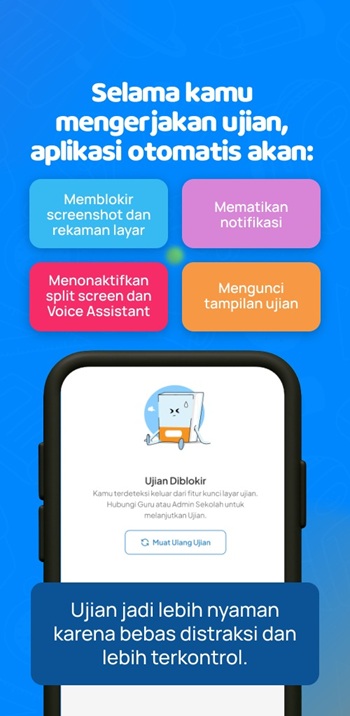
One of its key strengths is the secure mode. Screenshots, notifications, and split-screen attempts are blocked automatically. The app also prevents students from switching to other apps. This setup helps schools maintain fair testing conditions, even when students use their personal devices.
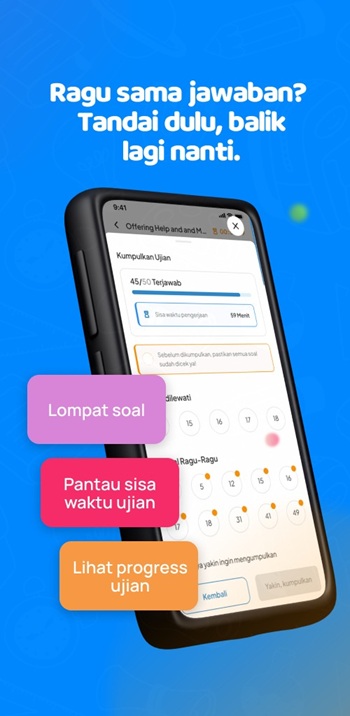
Another helpful part is how the app keeps exams organized. The layout is clean, and the question navigation buttons make it easy to jump around. The timer shows how long the exam lasts, and answers get saved when time ends. It removes common exam stress points like losing progress or misreading question numbers.
A downside is that students who rely heavily on their phone for accessibility features might find the restrictions strict. It also requires stable device performance, so older phones may lag during longer tests.
Pijar suits students whose schools already use the system and need a straightforward place to take exams. It works well in remote learning situations or classrooms that want smooth testing without extra hardware.
FAQs Pijar
What is Pijar?
+
Pijar is a mobile testing app that schools use to run secure digital exams for students.
How does Pijar work for students?
+
Students open the app, check the exam schedule, start the test, answer questions, and submit when time ends.
Does Pijar block cheating attempts?
+
Yes, the app disables screenshots, notifications, split screen, and switching to other apps during exams.
Who can use Pijar?
+
Students registered at schools that use the Pijar system for digital exams can use the app.
What devices support Pijar?
+
The app runs on Android phones and is designed to work smoothly on modern mobile devices.
Discover More Interesting Apps
-
 Mod
Mod
Pingo AI
v5.4.6
124.03 Mb
Updated -
SwiftChat
v5.7.1
37.54 Mb
Updated -
Mod
Plant
v3.27.4
56.31 Mb
Updated -
Simply Draw
v1.17.0
85.57 Mb
Updated -
Mod
Physics Wallah
v15.58.10
234.00 Mb
Updated -
Mod
PW
v15.58.10
234.00 Mb
Updated -
Seesaw
v10.147.0
48.17 Mb
Updated -
Mod
MagellanTV
vmob.3.5.0
70.99 Mb
Updated -
Gyan TV
v120.0
25.28 Mb
Updated -
Mod
Duolingo
v6.101.2
182.26 Mb
Updated










Share Your Thoughts